
 Chrome Extension · Free & Open Source
Your saved prompts,
one click away.
A personal prompt library that lives inside ChatGPT, Claude, DeepSeek, and Kimi. Built for engineers and AI power users who are tired of retyping the same instructions every session.
See it in action.
Install, setup, and a real session showing how PromptMate fits into a daily AI workflow.
Works where you work.
Opens as a sidebar on ChatGPT, Claude, DeepSeek, and Kimi. No context switching, no separate tab.
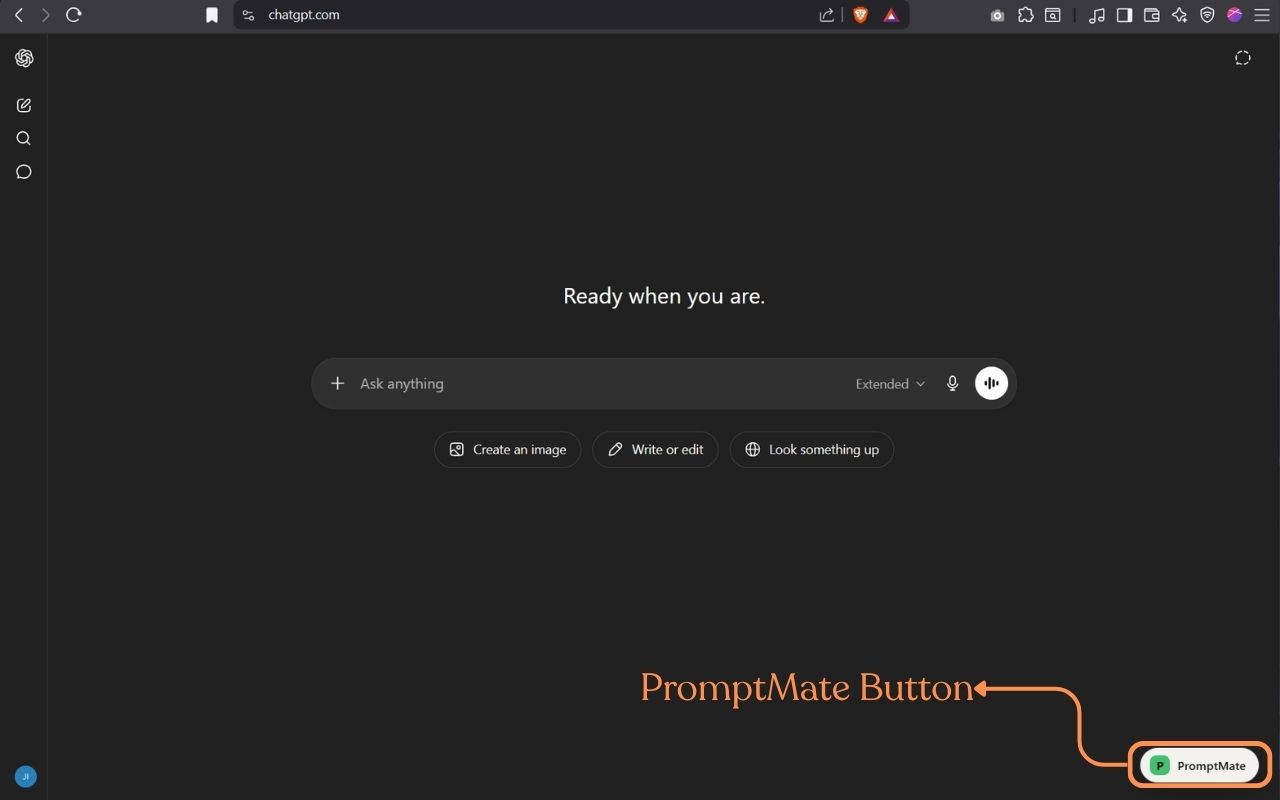
One-click open on ChatGPT
The PromptMate button appears in the bottom-right corner.
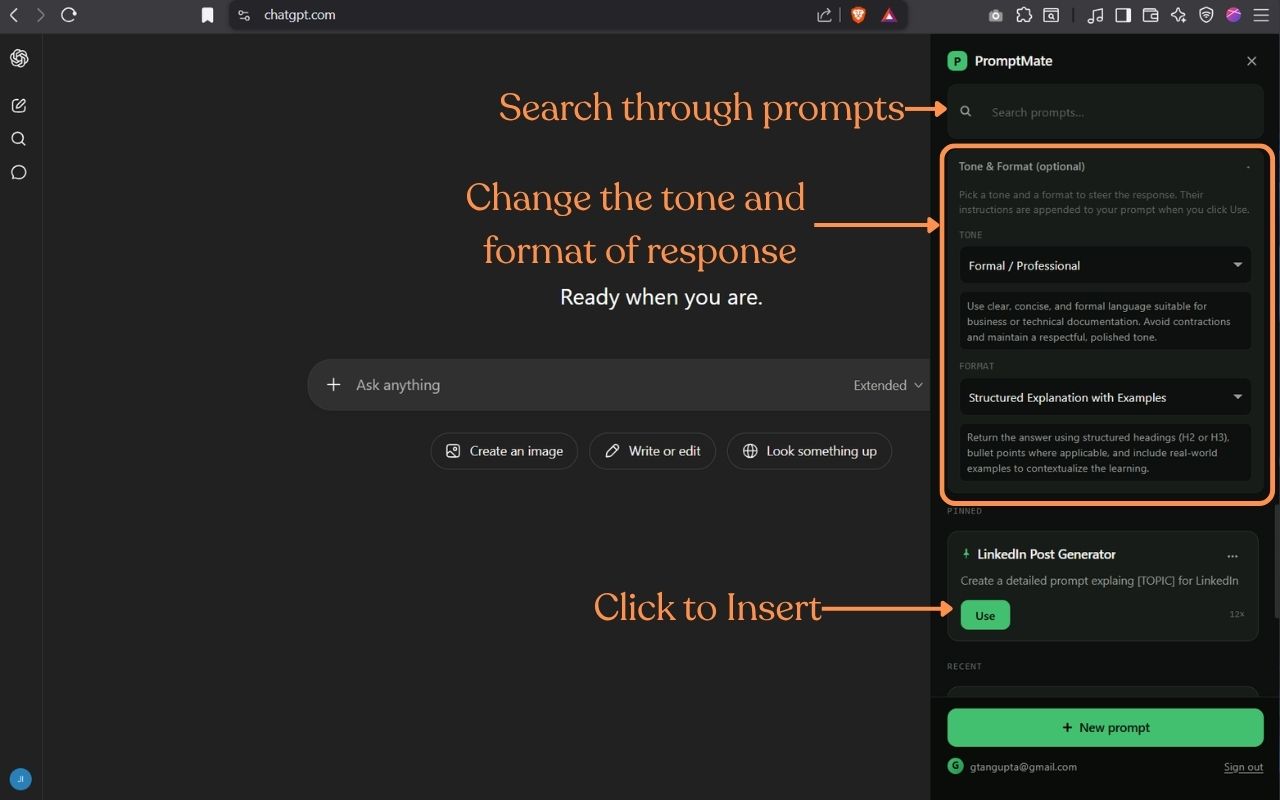
Sidebar with your library
Search, pick a prompt, fill any variables, then insert with the right context.
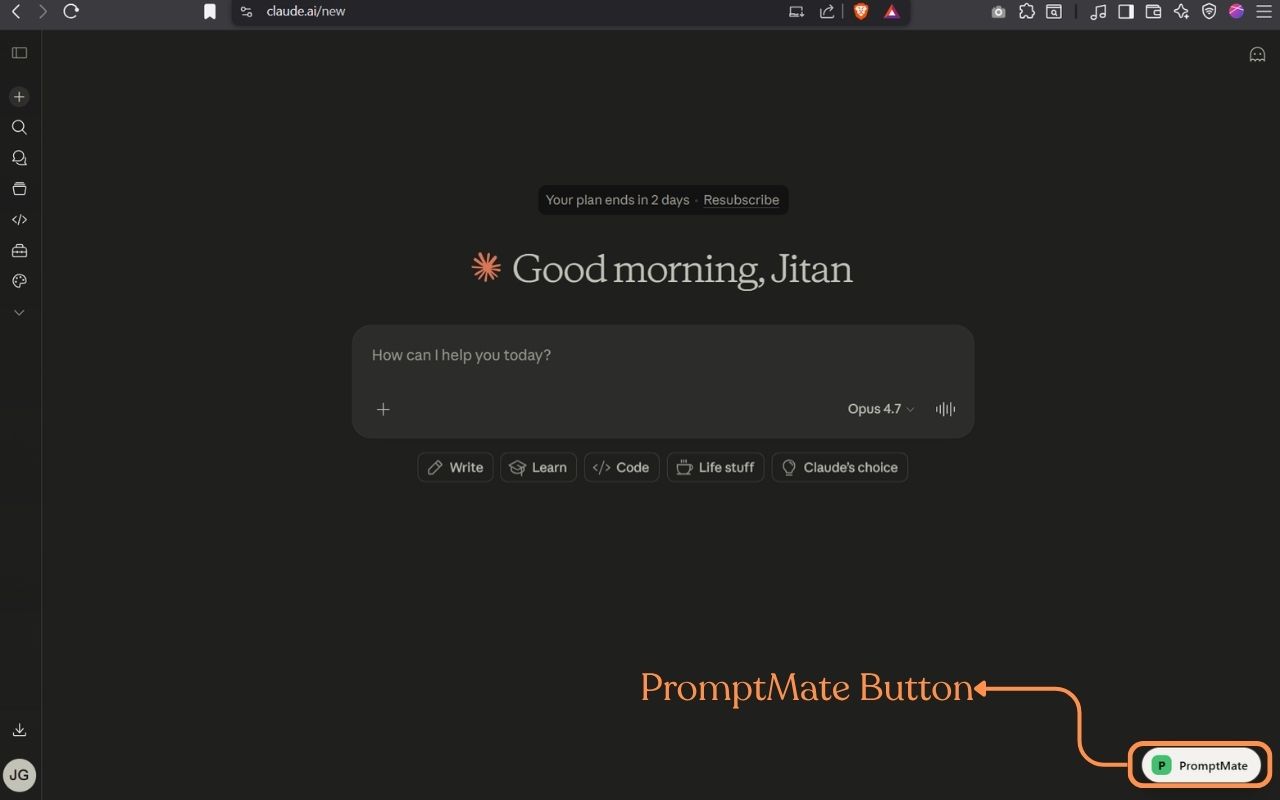
Same experience on Claude
Same sidebar, same library, both interfaces.
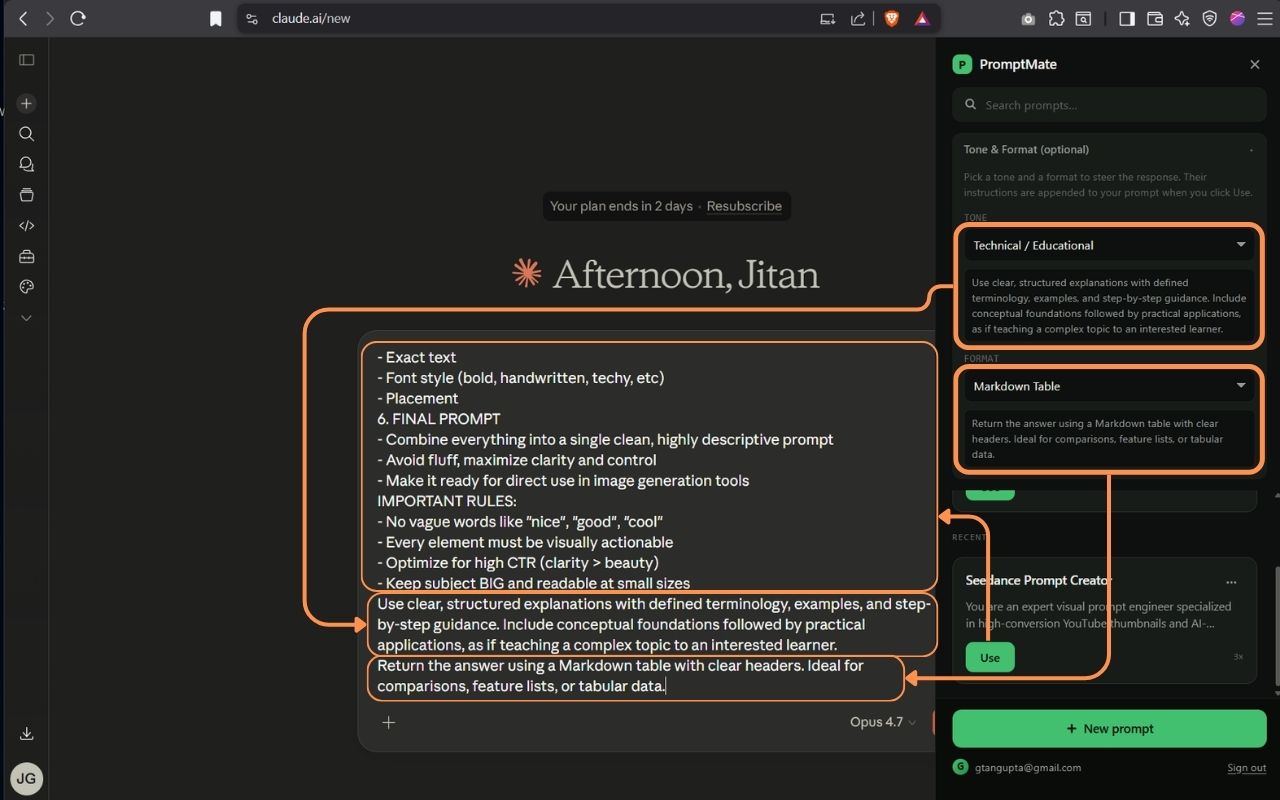
Insert with full context
User context, group instructions, tone, and format travel with the prompt.
Win in the first 10 minutes.
PromptMate works best when your library reflects work you already repeat. Start small, then let variables, groups, and context remove the extra typing.
Save five prompts you already repeat
Start with real work: code review, debugging, status updates, meeting notes, or explaining a concept. Do not invent a library from scratch.
Turn changing parts into variables
Use placeholders like {{diff}}, {{topic}}, or {{audience}} for inputs that change every session. That makes each saved prompt reusable instead of brittle.
Move repeated context up a level
Put your personal background in user context, project rules in group instructions, and only the task itself in the prompt body.
The friction was real.
I use Claude and ChatGPT for almost everything now: code reviews, draft emails, explaining concepts to teammates, writing scripts for YouTube. And I kept typing the same instructions over and over.
Not the prompts themselves — I had those saved in Notion, in a text file, scattered in browser tabs. The problem was the ritual: open a new chat, remember which prompt, find the file, copy, paste, adjust the tone manually. Every. Single. Session.
I wanted the prompts where the work happens. Not in a tab I have to switch to. In the sidebar, with one click to insert. So I built it.

Jitan Gupta
Built in Mumbai · See all builds →
Current state, honestly scoped.
This is what's shipped today: the pieces that help a small prompt collection become a working system.
Sidebar inside ChatGPT, Claude, DeepSeek, and Kimi
No tab switching. Your prompts live where you work — a sidebar that opens on ChatGPT, Claude, DeepSeek, and Kimi with one click.
Variables turn prompts into workflows
Write {{variable}} placeholders once, then fill the changing parts at send time. PromptMate shows a live preview before inserting the final prompt.
Groups and shared instructions
Organize prompts by project, role, or workflow. Add a group instruction once and it travels with every prompt in that group.
User context applied automatically
Save your role, background, and preferences once. PromptMate can prepend that context to every outgoing prompt across supported AI tools.
Tone, format, edit, and restore
Store tone and output format with each prompt, edit as you learn, and restore older versions when a refinement goes the wrong way.
Private sync, no product backend
Syncs to your own private Google Drive folder, with local usage history and analytics so you can see which prompts are actually earning their place.
What's next.
The next ideas are about making libraries easier to share, move, and reuse in more places. If any of these matter to you, raise an issue or vote via the feature request form.
Share prompt packs
Publish a prompt or starter pack to anyone-with-link. The receiver gets their own copy, private by default and editable in their library.
Codex & Claude Code desktop
Bring the same prompt library into coding agents and desktop workflows, so reusable instructions follow you into implementation work too.
Import and export libraries
Make it easier to back up, move, and seed a library with starter prompts for a team, project, or repeated workflow.
Prompt quality helpers
Lightweight checks that help you spot vague prompts, missing variables, and instructions that should move into user context or group instructions.
Stop retyping. Build your library once.
Install PromptMate, save the prompts you actually use, and get them back in one click — in ChatGPT, Claude, DeepSeek, or Kimi, on any device.